Building FocusStation
The problem I kept running into
I'd sit down at 9 AM with a mental list: refactor the auth module, write tests for the queue system, review that PR, maybe sketch the new API design. By 6 PM, I'd have spent seven hours on the auth refactor and done nothing else. The entire day disappeared into one task. The rest of the list? Untouched.
Not because I was lazy. Because I had nothing keeping me accountable to my own plan. No constraint saying "you said 2 hours on this — you're at 3." No signal that it was time to move on.
I didn't need a time tracker. I needed something that would sit in my menu bar, show me what I committed to working on today, and gently remind me when I'd given a task enough time.
So I built FocusStation.
It's a prioritization tool disguised as a timer
The core question FocusStation answers isn't "what have I been doing?" It's "what should I be doing right now?"
Here's the flow:
- Morning: add the 3-5 things you want to get done today. Give each one a target time — how long are you allowing this task to take?
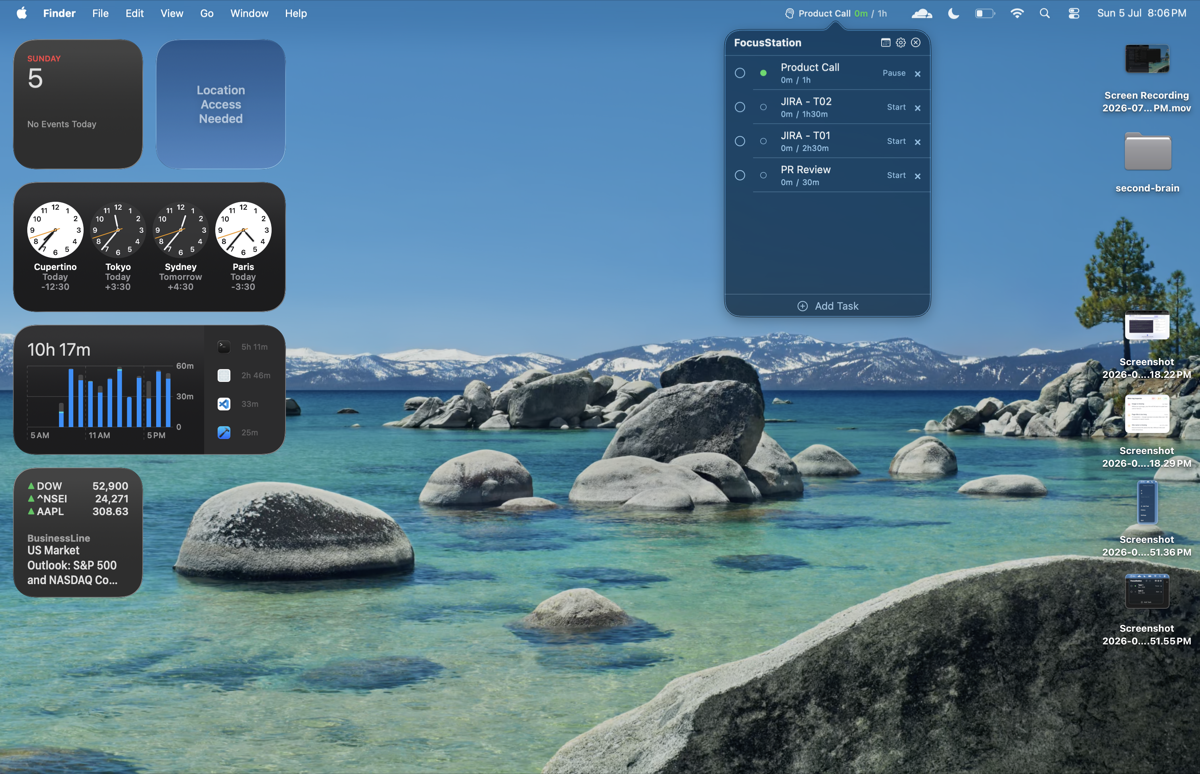
- During the day: your menu bar shows the active task. Glance up, see what you're on. See if you're within your target or running over.
- When the target passes: that's the signal. Either you're done (complete it and move to the next task) or you underestimated (adjust, but now you're making a deliberate choice, not drifting).
- End of day: look back and see what actually happened vs. what you planned. Every day becomes data — not for a timesheet, for you.
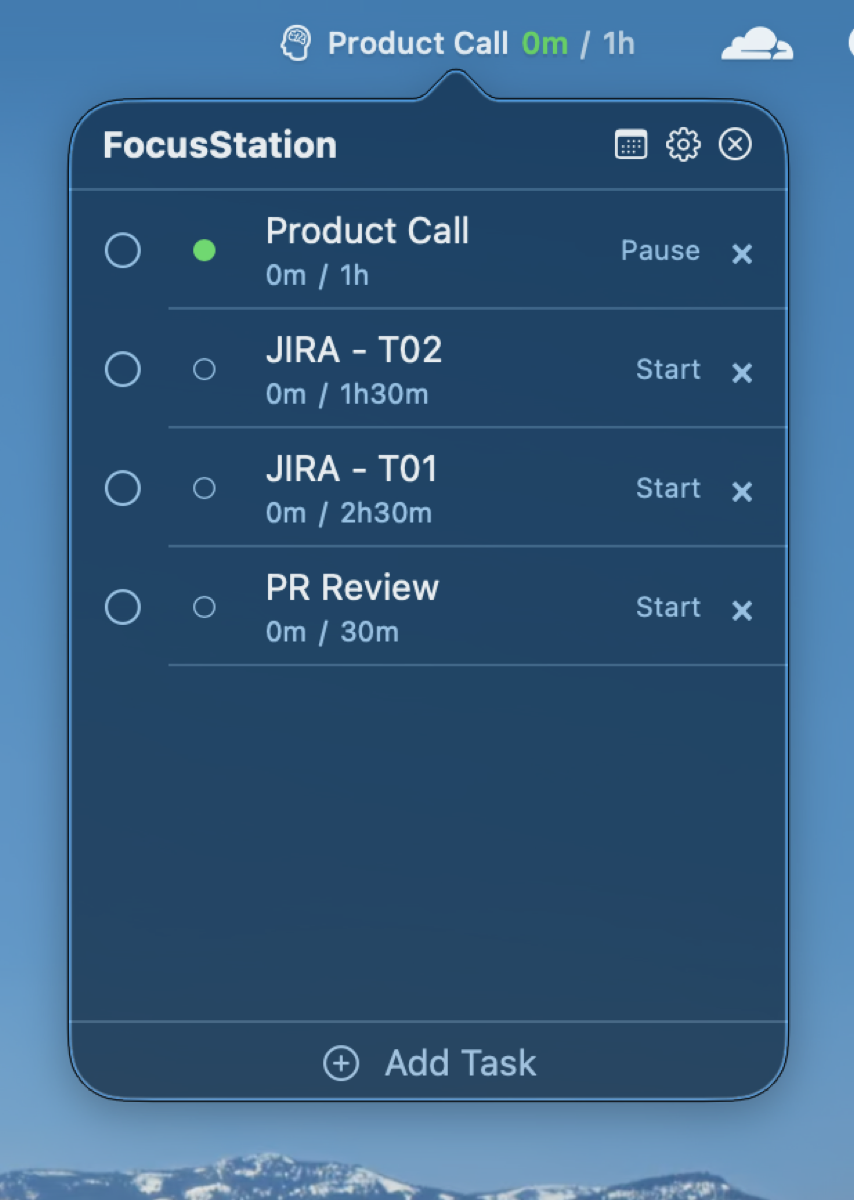
The timer isn't measuring. It's gatekeeping. It's the voice that says "you allocated 2 hours to this and it's been 2.5 — time to wrap up or decide to extend."
The constraint
Every productivity app I've tried has the same fatal flaw: friction. Open the app. Navigate. Search. Click. By the time you've done the dance, you've lost the mental state you were trying to protect.
The design brief was one sentence: if interacting with FocusStation takes more than one second, it has failed.
That single constraint drove everything:
- Menu bar only. No dock icon. The app is ambient — glance up, you know what you're doing.
- No setup flow. Add a task: name, optional target time, save. That's the entire creation UX.
- One click to switch tasks. Starting a new task auto-pauses the current one. No confirmation. No "are you sure?" The fastest path to "this is what I'm working on now."
- Target time is visual, not punishing. When you're within your target, the timer shows green. Approaching the limit: orange. Past the limit: you know. No alarm, no notification — just a color that says "you said 2 hours."
The timer doesn't count seconds
Every timer app I've used before building this one counted seconds. Counter increments every second. App crashes — lost. Mac sleeps — frozen. Counter drifts over a 6-hour session — you're off by minutes.
FocusStation stores a timestamp, not a counter:
func currentElapsed() -> TimeInterval {
    let session = startedAt.map { Date().timeIntervalSince($0) } ?? 0
    return accumulatedElapsed + session
}
Start stores startedAt. Pause adds the session to accumulatedElapsed and clears the timestamp. Sleep? Already saved to SQLite. Crash? Same SQLite. Wake? The math hasn't changed.
The only thing that ticks is a display refresher — a 1-second timer whose sole job is telling SwiftUI to re-render. It doesn't track time. It's paint.
This took three rewrites to get right. First two versions had hidden counters in the display logic. Felt wrong even when they worked. Third version stripped everything to timestamps. Two hours. Stable ever since.
The fights Swift picked with me
Swift 6 concurrency doesn't like timer closures. Closure-based Timer.scheduledTimer captures self, Swift 6 demands @Sendable, they don't mix. The fix: Timer.scheduledTimer(timeInterval:target:selector:userInfo:repeats:) — the API from 2007. Selector-based. Concurrency-safe. One afternoon down the drain.
@Observable erases when you use protocols. TimerManager is @Observable. TimerManagerProtocol defines its contract. any TimerManagerProtocol strips the observation tracking. SwiftUI can't see changes through the protocol. Workaround: every ViewModel runs its own 1-second sync timer. Not elegant, but it works.
Menu bar real estate is brutal. You get ~120 pixels before competing app icons take over. Active task shows icon + name + elapsed. Names like "database migration for sharded user tables" don't fit. Solution: truncate the name, always show the time. The name is a hint. The timer is the truth.
Sleep/wake lives in AppKit, the app lives in SwiftUI. NSWorkspace.willSleepNotification and didWakeNotification are AppKit. Bridging them to Observation required a dedicated extension and some @ObservationIgnored gymnastics. Sleep pauses all timers and stops display. Wake restarts display. Accumulated time is already in SQLite — nothing to lose.
What's working right now
I use this every day:
- Plan the day: 3-5 tasks, each with a target time. That's the commitment.
- Single-timer mode (default): one thing at a time. Start a new task, the current one pauses. No context switching overhead.
- Multi-timer mode (toggle): for when you need to track parallel work or want to see how much you split time between two things.
- The menu bar tells you where you stand. Green = within target. Orange = approaching limit. No alarm, no guilt trip — just data.
- Daily reset (configurable time). Archives the day, optionally carries unfinished tasks forward. Each day is a fresh slate.
- History. Jump to any past day, see planned vs. actual. Today / yesterday / 7-day / average daily / longest session / total days tracked.
- Settings (⌘,). Launch at login, daily goal, reset time, sleep/wake behavior, multi-timer, appearance.
SwiftUI + SwiftData. Zero dependencies. Not CocoaPods. Not SPM. Not Carthage. Foundation, AppKit, standard library.
What's still broken (this week's list)
Icon picker doesn't exist. 32 SF Symbols defined in IconProvider.swift across 8 categories. They're in the code. Not user-selectable. Every task gets a brain icon. Grid + search + category tabs. One afternoon.
Theme toggle is a placebo. Settings > Appearance > Theme: Light / Dark / System. Value stored in UserDefaults. No code reads it. The toggle exists purely for emotional comfort.
Daily reset pipeline is dead code. checkDailyReset(), performDailyReset(), archiveDay(), carryForwardTasks() — complete, tested logic. Never called from the timer loop. Engine built, forgot to connect the starter.
Move up/down renders but doesn't work. Buttons visible on hover. Callbacks passed as nil from DropdownView.swift. Two-line fix.
Menu bar shows one task. PRD specs multi-task compact view. Right now: single active/paused task only.
This week's sprint
- Wire daily reset → history starts accumulating
- Fix move up/down (two lines)
- Wire theme toggle
- Icon picker
- Multi-task menu bar
The bet
Productivity tools are obsessed with capturing everything. Every task. Every project. Every minute. The assumption is that more data = more control.
I think the opposite. Less data. Faster decisions. A tool that asks one question — "what are you doing right now, and is it what you planned to do?" — and gets out of the way.
FocusStation isn't competing with task managers or time trackers. It's competing with "I'll just remember what I need to do." And that's a category nobody else is in.